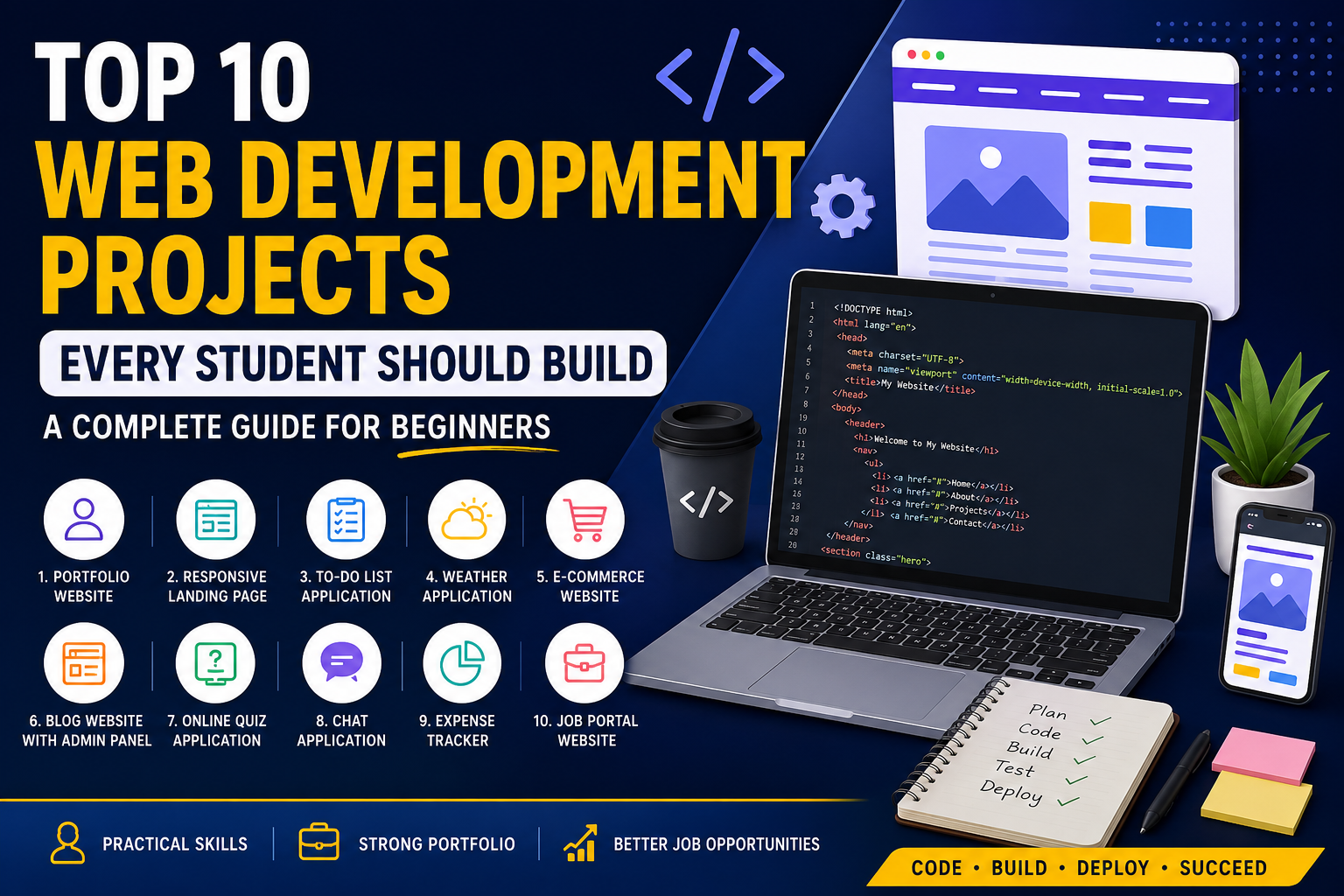
Learning HTML, CSS, JavaScript, React, Node.js, and databases is only the first step toward becoming a successful web developer. The real learning begins when you start building projects. Employers, clients, and recruiters don't just look at certificates—they want to see what you can create.
Whether you're a beginner or learning Full Stack Web Development, working on real-world projects helps you understand problem-solving, debugging, responsive design, APIs, databases, authentication, deployment, and version control.
If you're planning to become a professional web developer in 2026, these projects will strengthen your portfolio and prepare you for internships, freelance work, and full-time jobs.
In this guide, we'll explore the Top 10 Web Development Projects Every Student Should Build, along with the skills you'll learn from each project.
Why Projects Are More Important Than Theory
Many students spend months watching tutorials but never build anything independently. This creates a gap between learning and applying knowledge.
Building projects helps you:
Improve coding confidence
Learn practical problem-solving
Understand real-world development
Create an attractive portfolio
Prepare for technical interviews
Showcase skills to recruiters
Gain freelancing opportunities
Learn teamwork using Git and GitHub
Today's employers prefer candidates who have practical experience rather than only theoretical knowledge.
Skills You'll Use Across These Projects
Before starting these projects, you should be familiar with:
HTML5
CSS3
JavaScript (ES6+)
Responsive Design
Git & GitHub
React.js (recommended)
Node.js
Express.js
MongoDB or MySQL
REST APIs
Don't worry if you don't know everything yet. Each project will teach you something new.
1. Personal Portfolio Website
A portfolio website is every developer's digital resume.
Instead of sending only a PDF resume, recruiters can visit your website and instantly see your skills, projects, certifications, achievements, and contact information.
Features
Home page
About Me
Skills section
Projects showcase
Resume download
Contact form
Social media links
Dark mode
Skills Learned
HTML
CSS
Responsive Design
Animations
JavaScript
Hosting
Bonus Features
Blog section
Testimonials
Project filtering
Theme switcher
2. Responsive Landing Page
Every business needs landing pages for marketing campaigns.
Creating one teaches you professional UI development.
Features
Hero section
Call-to-action buttons
Services
Testimonials
Pricing
Contact form
Footer
Skills Learned
Flexbox
CSS Grid
Mobile responsiveness
UI design
SEO basics
3. To-Do List Application
This classic beginner project teaches CRUD operations.
Features
Add task
Edit task
Delete task
Mark complete
Search
Filter
Due dates
Technologies
HTML
CSS
JavaScript
Local Storage
Skills Learned
DOM Manipulation
Event Handling
Data Storage
JavaScript Functions
4. Weather Application
Weather apps are perfect for learning APIs.
Instead of static data, you'll fetch live weather information from an external API.
Features
Current weather
Search by city
Temperature
Humidity
Wind Speed
Sunrise
Sunset
Weather icons
Technologies
JavaScript
Fetch API
OpenWeather API
CSS
Skills Learned
API Integration
JSON
Async JavaScript
Error Handling
5. E-Commerce Website
One of the best full-stack projects.
This project combines frontend, backend, authentication, payment, and database management.
Features
Product listing
Categories
Shopping cart
Wishlist
Login
Signup
Payment Gateway
Order History
Product Search
Admin Dashboard
Technologies
React
Node.js
Express
MongoDB
Skills Learned
Full Stack Development
Authentication
Payment Integration
Database Design
CRUD Operations
6. Blog Website with Admin Panel
Every content-based business needs a blog.
This project teaches content management systems.
Features
Login
Create article
Edit article
Delete article
Categories
Tags
Comments
Rich Text Editor
Skills Learned
Authentication
Database
Image Upload
Backend Development
7. Online Quiz Application
Quiz apps are excellent for learning logic building.
Features
Multiple categories
Timer
Scoreboard
Leaderboard
Random questions
Difficulty levels
Technologies
JavaScript
React
Node.js
Skills Learned
State Management
API Usage
Timers
Logic Building
8. Chat Application
Modern businesses rely heavily on real-time communication.
This project introduces real-time programming.
Features
Live messaging
User authentication
Typing indicator
Online users
Notifications
Image sharing
Technologies
React
Node.js
Socket.io
MongoDB
Skills Learned
WebSockets
Real-time Applications
Backend APIs
Authentication
9. Expense Tracker
A practical project that helps users manage finances.
Features
Income
Expenses
Categories
Monthly Reports
Charts
Export Data
Search
Technologies
React
Chart.js
Node.js
MongoDB
Skills Learned
Data Visualization
CRUD
Authentication
Dashboard Design
10. Job Portal Website
A job portal is an advanced project that combines multiple technologies and reflects real-world application development.
Features
Student registration
Recruiter registration
Job posting
Resume upload
Job search
Apply for jobs
Saved jobs
Notifications
Admin dashboard
Technologies
React
Node.js
Express
MongoDB
JWT Authentication
Skills Learned
Full Stack Development
Authentication
File Upload
Search & Filtering
Dashboard Development
Bonus Project Ideas
Once you've completed the top 10 projects, challenge yourself with:
Food Delivery Website
Movie Recommendation App
Hospital Management System
School Management Portal
Hotel Booking Website
Travel Booking Platform
Social Media Clone
Netflix Clone
Spotify Clone
AI Chatbot Website
Learning Management System (LMS)
Online Voting System
Cryptocurrency Tracker
Stock Market Dashboard
Event Management Portal
These advanced projects demonstrate scalability, user authentication, API integration, and real-world problem-solving.
How to Build Projects Like a Professional
Follow a structured workflow to make your projects stand out:
1. Plan Before Coding
Define the problem.
List the required features.
Sketch wireframes or basic layouts.
2. Use Git and GitHub
Track changes, maintain version history, and showcase your code publicly.
3. Write Clean Code
Use meaningful variable names.
Organise files logically.
Add comments where necessary.
Keep components modular.
4. Make It Responsive
Ensure your project works well on desktops, tablets, and mobile devices.
5. Focus on Performance
Optimise images.
Minify CSS and JavaScript.
Use lazy loading where appropriate.
6. Test Thoroughly
Check forms, navigation, responsiveness, and edge cases before deployment.
7. Deploy Your Project
Host your projects using platforms such as Vercel, Netlify, or Render and include live links in your portfolio.
Common Mistakes Students Should Avoid
Even talented beginners often make avoidable mistakes:
Copying code without understanding it.
Skipping responsive design.
Ignoring Git version control.
Building only tutorial projects without customising them.
Not handling errors and edge cases.
Poor file organisation.
Forgetting accessibility considerations.
Leaving unfinished projects in their portfolio.
Using outdated libraries without checking documentation.
Never deploying completed applications.
Avoiding these habits will make you a stronger and more professional developer.
How These Projects Help You Get a Job
A strong portfolio demonstrates more than technical knowledge. It shows initiative, consistency, and the ability to solve real-world problems.
Recruiters look for candidates who can:
Build responsive websites.
Work with APIs and databases.
Implement authentication.
Write clean, maintainable code.
Collaborate using Git.
Deploy production-ready applications.
Debug and improve existing systems.
Each completed project strengthens your resume and gives you practical examples to discuss during interviews.
Tips to Make Your Portfolio Stand Out
To maximise the impact of your work:
Include a live demo and source code for every project.
Write a short description explaining the project's purpose.
Highlight the technologies used.
Add screenshots or short demo videos.
Mention challenges you faced and how you solved them.
Keep updating older projects with new features and improvements.
A portfolio that tells the story behind your projects is often more memorable than one that simply lists technologies.
Final Thoughts
Web development is a skill best learned by building. While tutorials and courses provide the foundation, projects transform knowledge into experience. Every application you create improves your understanding of design, coding, debugging, testing, deployment, and collaboration.
The ten projects covered in this guide—from a personal portfolio and weather app to a full-featured job portal—represent a practical progression from beginner to advanced development. Completing them will help you master modern web technologies, build confidence, and create a portfolio that attracts recruiters, clients, and employers.
If you're serious about becoming a web developer in 2026, don't wait until you "know everything." Start with a simple project, complete it, learn from the challenges, and then move on to the next. Consistent project-building is the fastest path to becoming a job-ready developer.
FAQs
1. Which project should a beginner start with?
A personal portfolio website or a To-Do List application is ideal because it teaches the fundamentals of HTML, CSS, JavaScript, and responsive design.
2. How many projects should I include in my portfolio?
Aim for 5–10 high-quality projects that demonstrate a variety of skills rather than a large number of incomplete or repetitive applications.
3. Do I need React for these projects?
Not for every project. You can start with HTML, CSS, and JavaScript, then gradually move to React for more advanced applications.
4. Can these projects help me get freelance work?
Yes. Projects such as portfolios, landing pages, blogs, and e-commerce websites closely match common freelance requirements and can help you attract clients.
5. Is it okay to build tutorial projects?
Tutorials are useful for learning, but you should always customise them by adding your own features, improving the design, or solving a unique problem. This demonstrates originality and a deeper understanding.