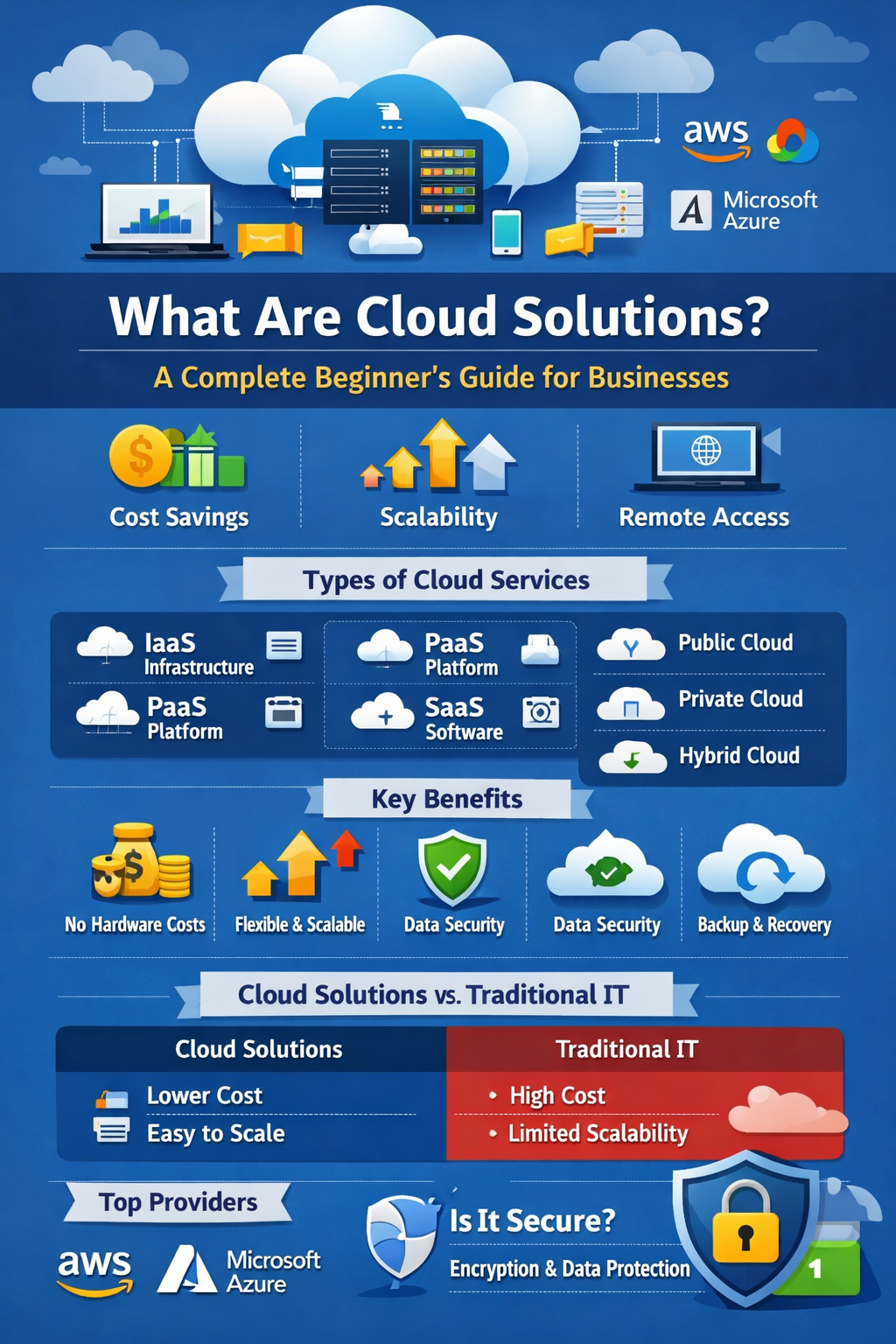
Introduction
In today’s fast-changing
digital world, businesses are rapidly adopting new technologies to stay
competitive. This process, known as digital transformation, helps
companies improve efficiency, reduce costs, and deliver better services to
customers. One of the most important technologies driving this transformation
is cloud computing. Cloud solutions have become
essential for modern businesses because they offer cost savings,
flexibility, and scalability. Instead of investing heavily in physical
servers and IT infrastructure, companies can now access powerful computing
resources over the internet.
In this beginner’s guide, we
will explain what cloud solutions are, how they work, their types, benefits,
common uses, and how businesses can choose the right cloud services.
What Are Cloud Solutions?
Cloud solutions refer to services
and resources delivered over the internet instead of being stored or managed on
local computers or servers. These services include data storage, software
applications, networking, and computing power.
In simple terms, cloud
computing allows businesses to store data and run applications online rather
than on physical hardware.
A common real-life example
is Google Drive, where users can store files online and access them from
anywhere using the internet.
Cloud vs Traditional IT Systems
In traditional IT systems,
businesses need to buy servers, maintain hardware, and manage IT infrastructure
themselves. This approach is expensive and requires continuous maintenance.
With cloud solutions,
businesses simply rent computing resources from cloud providers,
reducing costs and eliminating the need for complex infrastructure.
How Do Cloud Solutions Work?
Cloud solutions operate
through remote servers hosted in large data centers. These servers store
data and run applications that users can access via the internet.
Here’s a simple breakdown of
how cloud solutions work:
1. Data and applications are stored in secure
remote data centers.
2. Businesses connect to these servers through
the internet.
3. Users can access systems, files, or software
from any device and location.
A key concept in cloud
computing is on-demand services. This means businesses only use and pay
for the resources they need. For example, if a company requires additional
storage or computing power, it can easily scale up without purchasing new
hardware.
Types of Cloud Solutions
Cloud services are generally
categorized based on service models and deployment models.
a) By Service Model
1.
Infrastructure as a Service (IaaS)
IaaS provides basic computing infrastructure such as servers, networking, and
storage. Businesses can build and manage their own applications on this
infrastructure.
2. Platform
as a Service (PaaS)
PaaS offers a platform where developers can build, test, and deploy
applications without worrying about infrastructure management.
3. Software
as a Service (SaaS)
SaaS provides ready-to-use software applications delivered through the
internet. Users simply log in and start using the software.
Examples include tools like Salesforce
or Microsoft 365.
b) By Deployment Model
*Public
Cloud
Services are provided over the internet and shared among multiple users.
*Private
Cloud
Infrastructure is dedicated to a single organization, offering higher control
and security.
*Hybrid
Cloud
A combination of public and private cloud environments that work together.
Key Benefits of Cloud Solutions for Businesses
Cloud computing offers
several advantages for organizations of all sizes.
1. Cost
Efficiency
Businesses no longer need to invest in expensive servers or hardware.
2.
Scalability and Flexibility
Companies can increase or decrease resources depending on demand.
3. Remote
Accessibility
Employees can work from anywhere with an internet connection.
4. Data
Backup and Disaster Recovery
Cloud systems automatically back up data, reducing the risk of loss.
5.
Automatic Updates
Cloud providers manage software updates and maintenance.
Common Use Cases of Cloud Solutions
Many businesses rely on
cloud computing for everyday operations.
1.Data
Storage and Backup
Companies store files securely in the cloud instead of physical drives.
2.Website
Hosting
Websites can run on cloud servers, ensuring reliability and faster performance.
3.CRM and
ERP Systems
Businesses use cloud-based software to manage customers and operations.
4.Collaboration
Tools
Platforms like Slack and Zoom help remote teams collaborate.
5.Application
Development and Testing
Developers can build and test apps using cloud platforms.
Is Cloud Computing Secure?
Security is a common concern
when businesses move data to the cloud. However, modern cloud platforms use
advanced security technologies such as:
1.Data encryption
2.Multi-factor
authentication
3.Network firewalls
4.Continuous monitoring
Cloud security also follows
a shared responsibility model, where the provider manages infrastructure
security while businesses protect their data and user access.
How to Choose the Right Cloud Solution
Businesses should consider
several factors before selecting a cloud provider.
Identify
Business Needs –
Determine whether you need storage, applications, or infrastructure.
Budget Planning – Choose a solution that fits your financial resources.
Scalability Requirements – Ensure the platform can grow with your
business.
Security and Compliance – Verify security standards and data protection
policies.
Popular Cloud Service Providers
Several companies dominate
the cloud computing industry.
1.Amazon
Web Services (AWS)
One of the largest cloud providers offering a wide range of services.
2.Microsoft
Azure
Popular among enterprises and businesses using Microsoft technologies.
3.Google
Cloud
Known for strong data analytics and AI capabilities.
Each provider offers
different features, pricing models, and tools depending on business needs.
Challenges of Cloud Solutions
Despite its advantages,
cloud computing also has some challenges.
1.Internet
Dependency – Cloud
services require stable internet connectivity.
2.Data
Privacy Concerns –
Sensitive data must be managed carefully.
3.Migration
Complexity – Moving
systems from traditional IT to the cloud can be complex.
4.Vendor
Lock-In – Switching providers may
be difficult once systems are integrated.
Future of Cloud Computing
Cloud technology continues
to evolve rapidly. Some emerging trends include:
1.AI and
Cloud Integration for
smarter business applications
2.Serverless
Computing, allowing developers to run
code without managing servers
3.Multi-Cloud
Strategies where
businesses use multiple providers for flexibility
As more companies embrace
digital transformation, cloud computing will play a central role in business
innovation.
Conclusion
Cloud solutions have become
a powerful tool for modern businesses looking to improve efficiency, reduce
costs, and scale operations. By moving data, applications, and infrastructure
to the cloud, companies can access technology resources anytime and from
anywhere.
While there are challenges
such as security concerns and migration complexity, the benefits of cloud
computing far outweigh the limitations.
For businesses aiming to
stay competitive in the digital age, adopting cloud solutions is no longer
optional—it’s essential. Organizations that embrace the cloud can unlock
new opportunities for growth, innovation, and long-term success.