Introduction
Software is a collection of
programs, instructions, and data that enable computers and digital devices to
perform specific tasks. In simple terms, software tells a computer what to do
and how to do it. Without software, hardware such as computers, smartphones,
and servers would not be able to function effectively.
In today’s digital world,
software plays a vital role in both personal life and business operations. From
sending emails and browsing the internet to managing company finances and
customer relationships, software supports almost every modern activity. Businesses
rely on software for automation, communication, data management, and
decision-making.
Understanding software
categories is important because it helps individuals and organizations choose
the right tools for their needs. Different types of software serve different
purposes, such as running hardware, performing user tasks, or helping developers
create new applications. This article explores the main categories of software,
their functions, examples, and how they contribute to modern technology.
What Are Software Categories?
Software categories refer to
the classification of software based on its purpose, functionality, and users.
Categorizing software helps organize different types of programs and makes it
easier to understand how they operate within a computing environment.
Software is generally
classified based on three main factors:
1.Function – What the software is designed to do
2.Usage – How the software is used by individuals or
organizations
3.Users – Whether the software is designed for
general users, businesses, or developers
At a high level, software
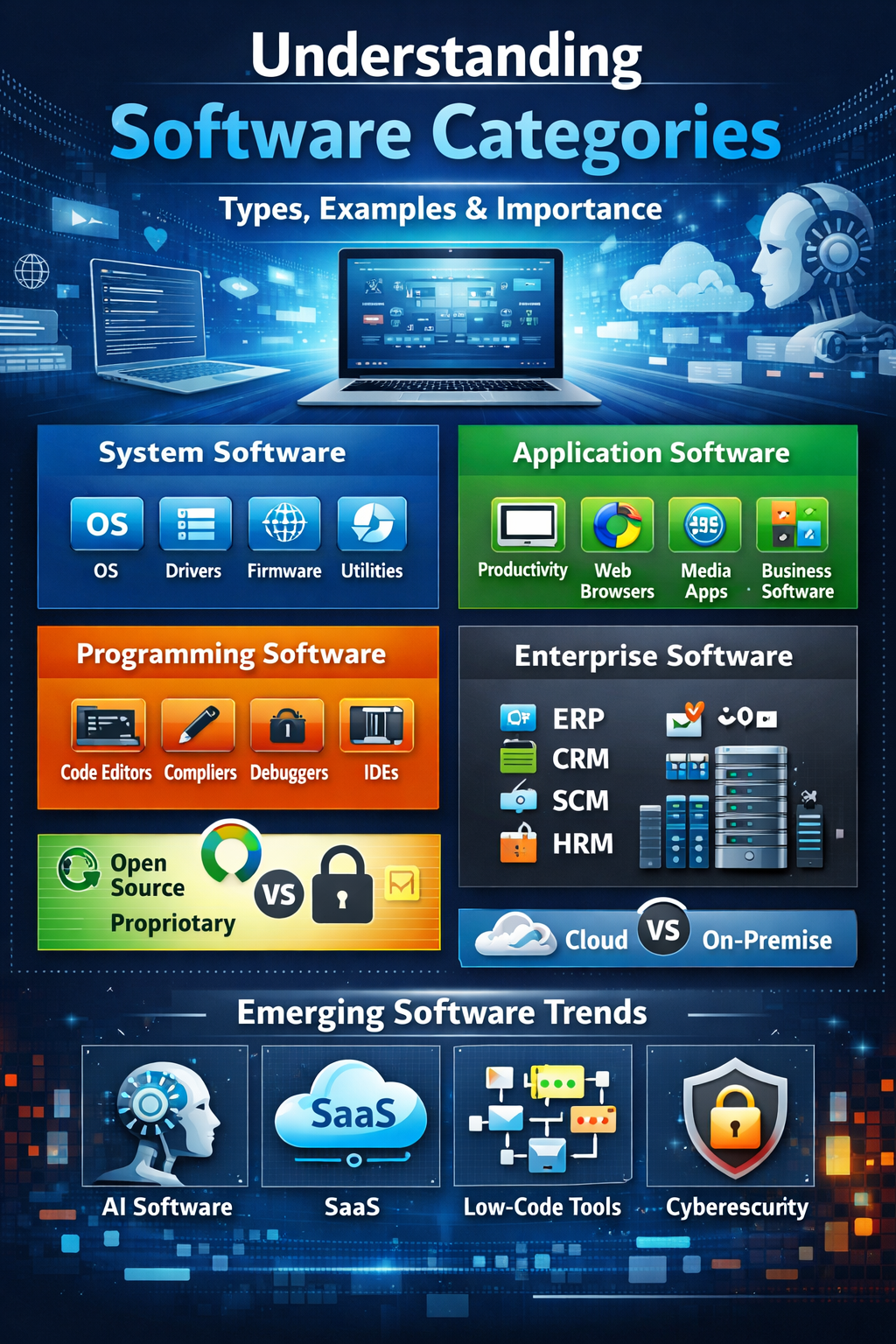
can be divided into three primary categories:
1.System
Software
2.Application
Software
3.Programming
Software
Each of these categories
plays a unique role in the digital ecosystem.
System Software
What is System Software?
System software is the
foundational software that manages computer hardware and provides a platform
for other software to run. It acts as a bridge between the hardware components
and the user.
This type of software
ensures that the computer system operates efficiently by controlling hardware
resources such as memory, processors, and storage devices.
Types of System Software
Operating
Systems
Operating systems manage all the basic operations of a computer. They allow
users to interact with the device and run applications. Examples include
Windows, Linux, and macOS.
Device
Drivers
Device drivers enable the operating system to communicate with hardware devices
such as printers, graphics cards, keyboards, and external drives.
Firmware
Firmware is low-level software embedded directly into hardware devices. It
provides basic control and instructions for the hardware to function properly.
Utility
Software
Utility programs help maintain and optimize system performance. These tools
assist with tasks such as system cleanup, security, and file management.
Key Features of System Software
1.Performs low-level
operations
2.Manages system performance
and resources
3.Controls hardware
communication and functionality
Application Software
What is Application Software?
Application software refers
to programs designed to help users perform specific tasks. Unlike system
software, which manages hardware, application software focuses on user-oriented
activities.
These programs are widely
used for personal, educational, and professional purposes.
Types of Application Software
Productivity
Software
Applications like word processors, spreadsheets, and presentation tools help
users create documents, analyze data, and manage work efficiently.
Web
Browsers
Web browsers allow users to access and navigate the internet.
Media
Players
Media players enable users to play audio and video files on their devices.
Business
Software
Organizations use business software such as Customer Relationship Management
(CRM) and Enterprise Resource Planning (ERP) systems to manage operations and
customer data.
Mobile
Applications
Mobile apps are designed for smartphones and tablets, offering services such as
messaging, banking, shopping, and entertainment.
Examples and Use Cases
Application software can be
used for both personal purposes, such as editing photos or watching
videos, and business purposes, such as managing sales, finances, and
communication.
Programming Software (Development Tools)
What is Programming Software?
Programming software
consists of tools that developers use to create, test, and maintain other
software programs. These tools simplify the software development process and
improve productivity.
Types of Programming Software
Code
Editors
Code editors allow developers to write and edit source code efficiently.
Compilers
and Interpreters
These tools translate programming languages into machine-readable instructions
that computers can execute.
Debuggers
Debuggers help programmers identify and fix errors or bugs in software
programs.
Integrated
Development Environments (IDEs)
IDEs combine multiple development tools, such as code editors, debuggers, and
compilers, into a single platform.
Importance in Software Development
Programming software plays a
critical role in software development by enabling developers to design, test,
and improve applications effectively.
Utility Software
What is Utility Software?
Utility software is designed
to support and enhance the performance of computer systems. These tools help
maintain system health and improve efficiency.
Common Types
1.Antivirus software that
protects systems from malware and cyber threats
2.Disk cleanup tools that
remove unnecessary files
3.Backup software that
safeguards important data
4.File compression tools
that reduce file size for storage and sharing
Why Utility Software Matters
Utility software improves
system performance, enhances security, and ensures smooth operation of devices.
What is Enterprise Software?
Enterprise software is
designed for large organizations to manage complex operations and processes
across multiple departments.
Types of Enterprise Solutions
1.ERP
(Enterprise Resource Planning) – Manages business processes like finance,
inventory, and production
2.CRM
(Customer Relationship Management) – Manages customer interactions and sales data
3.SCM
(Supply Chain Management) – Oversees
supply chain activities
4.HRM
(Human Resource Management Systems) – Handles employee data and HR operations
Key Features
A.Scalability for large
organizations
B.Integration with multiple
systems
C.Advanced data management
capabilities
Open Source vs Proprietary Software
1.Open
Source Software allows
users to access, modify, and distribute the source code. It promotes
collaboration and transparency but may require technical expertise to manage.
2.Proprietary
Software, on the other hand, is
owned by a company or developer and usually requires a license to use. It often
provides professional support and user-friendly features but limits
customization.
Cloud-Based vs On-Premise Software
1.Cloud-based
software (SaaS) is hosted
on remote servers and accessed through the internet. It offers benefits such as
easy accessibility, automatic updates, and lower infrastructure costs.
2.On-premise
software is installed and operated
on local servers within an organization. It provides greater control over data
and security but requires higher maintenance and infrastructure costs.
Emerging Software Categories
Technology continues to
evolve, leading to new software categories such as:
1.AI-powered
software that uses artificial
intelligence for automation and decision-making
2.SaaS
platforms offering cloud-based
solutions for businesses
3.Low-code
and no-code tools enabling
users to build applications with minimal programming knowledge
4.Cybersecurity
software designed to protect systems
from digital threats
How to Choose the Right Software
Selecting the right software
depends on several factors:
1.Identifying whether the
software is for personal or business use
2.Considering the available
budget and long-term costs
3.Evaluating scalability and
integration with existing systems
4.Ensuring strong security
features and reliable support
Conclusion
Software categories help
organize and understand the different types of programs used in computing
environments. System software manages hardware operations, application software
helps users perform tasks, and programming software supports the development of
new applications.
Additionally, utility
software, enterprise software, cloud solutions, and emerging technologies
continue to expand the software landscape. Choosing the right software category
is essential for maximizing efficiency, improving productivity, and supporting
technological growth in both personal and professional environments.
As technology advances,
software will continue to evolve, creating new opportunities for innovation and
digital transformation.