Introduction
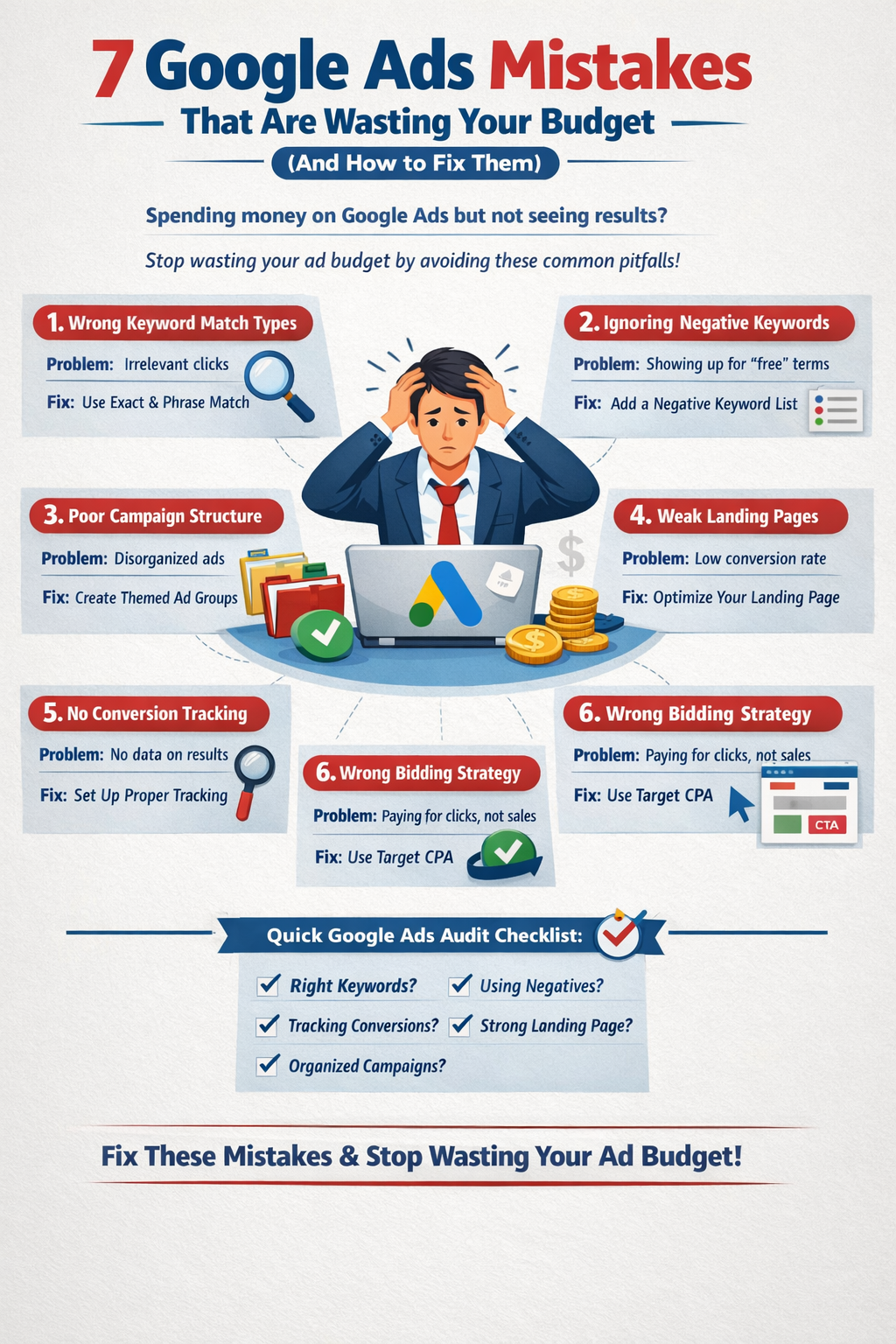
“Spending
money on Google Ads but not seeing results?”
You’re not alone.
Thousands of businesses
invest in Google Ads every month expecting instant leads and sales — but
instead, they see high clicks, rising costs, and disappointing conversions. The
truth? Most advertisers don’t lose money because Google Ads doesn’t work. They
lose money because of structural mistakes.
Even small errors in keyword
targeting, campaign setup, or tracking can quietly destroy your ROI.
The good news? These
mistakes are fixable.
In this article, we’ll break
down 7 major Google Ads mistakes that drain your budget — and exactly
how to fix them.
Mistake #1: Using the Wrong Keyword Match Types
The Problem
Many advertisers overuse Broad
Match keywords.
Broad Match allows Google to
show your ads for loosely related searches. While it increases reach, it often
brings:
1.Irrelevant clicks
2.Low-intent traffic
3.Poor-quality leads
Why It Drains Budget
You end up paying a high CPC
(Cost Per Click) for people who were never serious buyers. More clicks + low
conversions = wasted money.
How to Fix It
1.Use Exact Match for
high-intent keywords.
2.Use Phrase Match
strategically for controlled expansion.
3.Review the Search Terms
Report weekly to remove irrelevant queries.
Smart keyword control =
better traffic quality.
Mistake #2: Ignoring Negative Keywords
The Problem
If you’re not using negative
keywords, your ads may appear for irrelevant searches like:
1.“Free”
2.“Jobs”
3.“Training”
4.“Course”
5.“DIY”
Why It Drains Budget
You’re paying for clicks
from people who are not buyers. These users are researching, learning, or
job-hunting — not purchasing.
How to Fix It
1.Build a comprehensive
negative keyword list.
2.Add negatives at both campaign
and account level.
3.Review search terms
regularly and block irrelevant queries.
Negative keywords protect
your budget like a filter.
Mistake #3: Poor Campaign Structure
The Problem
Many advertisers:
1.Put too many keywords in
one ad group
2.Mix different search
intents
3.Create messy, disorganized
campaigns
Why It Drains Budget
Google rewards relevance.
Poor structure leads to:
1.Low Quality Score
2.Higher CPC
3.Lower ad rank
How to Fix It
1.Separate campaigns by search
intent.
2.Create tightly themed
ad groups.
3.Consider the Single
Keyword Ad Group (SKAG) strategy for better control.
A clean structure improves
relevance, which lowers costs and improves performance.
Mistake #4: Sending Traffic to a Weak Landing Page
The Problem
Even perfectly targeted ads
fail if your landing page:
1.Loads slowly
2.Has no clear CTA
3.Uses generic messaging
4.Doesn’t match the ad copy
Why It Drains Budget
You pay for the click — but
visitors leave without converting. This results in:
1.Low conversion rate
2.High bounce rate
3.Poor campaign performance
How to Fix It
1.Ensure your landing page
matches your ad messaging.
2.Add a strong,
benefit-driven headline.
3.Use a clear CTA
(Call-to-Action).
4.Optimize page speed.
5.Add trust elements like
testimonials, reviews, guarantees.
Clicks don’t make money —
conversions do.
Mistake #5: Not Tracking Conversions Properly
The Problem
Some advertisers:
1.Don’t set up conversion
tracking
2.Track the wrong events
3.Only monitor clicks
Why It Drains Budget
Without accurate conversion
tracking:
1.Smart bidding can’t
optimize properly
2.You scale losing campaigns
3.You make decisions based
on incomplete data
How to Fix It
1.Set up proper conversion
tracking in Google Ads.
2.Track real actions: leads,
calls, purchases.
3.Use Enhanced
Conversions for better data accuracy.
If you don’t measure it, you
can’t improve it.
Mistake #6: Using the Wrong Bidding Strategy
The Problem
Common bidding errors
include:
1.Using Manual CPC without
experience
2.Choosing “Maximize Clicks”
instead of “Maximize Conversions”
Why It Drains Budget
You end up optimizing for
traffic — not results. More clicks don’t necessarily mean more revenue.
How to Fix It
1.Start with Maximize
Conversions.
2.Switch to Target CPA
once enough data builds.
3.Allow the learning phase
to complete before making changes.
Smart bidding needs time and
accurate data to perform well.
Mistake #7: Not Segmenting Brand vs Non-Brand
Campaigns
The Problem
Many advertisers mix:
1.Brand keywords (your
company name)
2.Generic keywords (industry
terms)
Why It Drains Budget
Brand campaigns usually
perform better because users already know you. Mixing them causes:
1.Inflated performance
metrics
2.Misleading ROI data
3.Poor budget allocation
How to Fix It
1.Create separate brand
campaigns.
2.Allocate lower budget to
brand terms.
3.Focus more spend on non-brand
acquisition for growth.
Clear segmentation = clearer
performance insights.
Bonus: Quick Google Ads Audit Checklist
Ask yourself:
1.Are my match types
optimized?
2.Do I review search terms
weekly?
3.Is conversion tracking
accurate?
4.Is my landing page aligned
with my ads?
5.Are campaigns structured
by search intent?
If you answered “no” to any
of these, there’s room for improvement.
Conclusion
Google Ads can be extremely
profitable — but only if structured correctly.
Let’s recap the 7 mistakes:
1. Wrong keyword match types
2. No negative keywords
3. Poor campaign structure
4. Weak landing pages
5. Improper conversion tracking
6. Wrong bidding strategy
7. Mixing brand and non-brand campaigns
Remember: Structure +
Data = Profitability.
Most advertisers don’t fail
because Google Ads doesn’t work. They fail because their foundation is weak.
Audit your campaigns today.
Fix these
mistakes and stop wasting your ad budget.