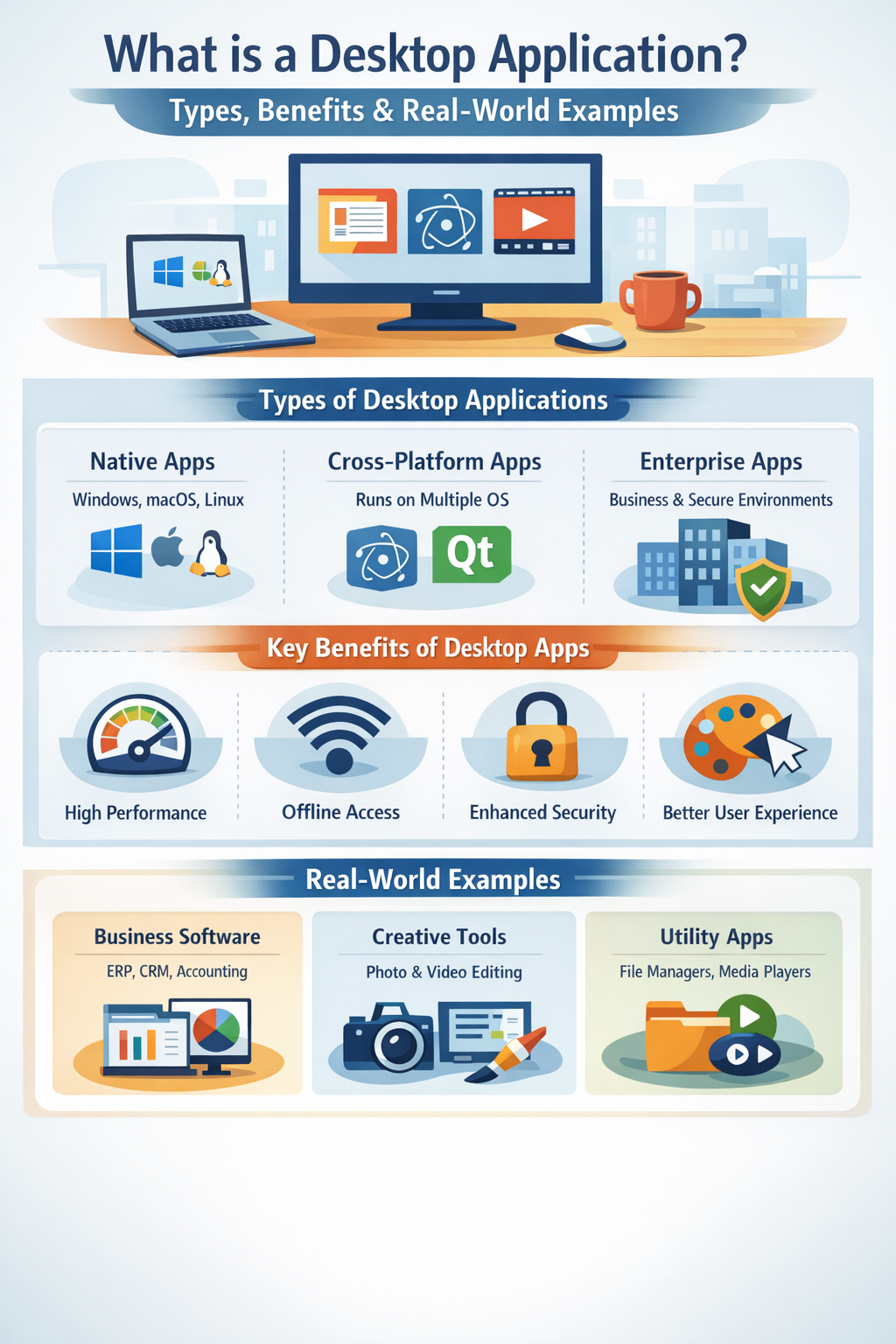
In today’s fast-evolving digital world, software applications play a critical role in how individuals and organizations work, communicate, and innovate. While web and mobile apps have grown rapidly, desktop applications continue to hold strong importance in modern software ecosystems. From enterprise systems to creative tools, desktop applications remain essential for performance-intensive, secure, and offline-first use cases.
This blog explores what a desktop application is, its types, key benefits, popular technologies, real-world examples, and why desktop applications are still highly relevant today.
Understanding Desktop Applications:
Definition of a Desktop Application:
A desktop application is a software program designed to run directly on a personal computer or workstation. Unlike web applications that run inside a browser, desktop applications are installed locally on an operating system such as Windows, macOS, or Linux. They utilize the system’s hardware and software resources to deliver fast, stable, and feature-rich functionality.
Desktop applications are commonly used in business, education, design, development, and enterprise environments where performance and reliability are crucial.
How Desktop Applications Work:
Desktop applications are installed on a device and executed by the operating system. They interact directly with system resources like CPU, memory, file systems, and hardware components. This direct interaction allows desktop apps to perform complex computations, handle large datasets, and deliver responsive user experiences.
Once installed, many desktop applications can function without an internet connection, making them ideal for environments with limited connectivity or strict security requirements.
Desktop Applications vs Browser-Based Software
The key difference between desktop applications and browser-based software lies in execution and dependency:
Desktop applications run locally and rely on the operating system. Array
Web applications run in browsers and depend on internet connectivity. Array
Desktop apps generally offer better performance, deeper system integration, and offline functionality, while web apps excel in accessibility and ease of updates.
Types of Desktop Applications:
Native Desktop Applications:
Native desktop applications are built specifically for a single operating system. They are optimized to use OS-specific features, ensuring maximum performance and stability.
Key characteristics:
Built for a specific OS Array
High performance and responsiveness Array
Deep OS-level integration Array
Examples:
Microsoft Word (Windows) Array
Final Cut Pro (macOS) Array
GIMP (Linux) Array
Native desktop applications are ideal when performance, security, and system integration are top priorities.
Cross-Platform Desktop Applications:
Cross-platform desktop applications are designed to run on multiple operating systems using a single codebase. This approach reduces development time and cost while ensuring broader reach.
Popular frameworks and technologies:
Electron Array
Qt Array
Flutter Desktop Array
JavaFX Array
Cross-platform desktop apps balance performance with flexibility and are widely used by startups and SaaS companies.
Enterprise Desktop Applications:
Enterprise desktop applications are developed for large organizations and mission-critical operations. These applications focus on scalability, security, reliability, and performance.
Key features:
Role-based access control Array
High-level security protocols Array
Integration with enterprise systems Array
Examples:
ERP systems Array
Banking software Array
Manufacturing control systems Array
Key Benefits of Desktop Applications:
High Performance & Speed:
Desktop applications have direct access to system resources, allowing them to perform faster than many web applications. They are capable of handling complex processes such as data analysis, rendering, and simulations efficiently.
This makes desktop applications ideal for high-performance computing and professional software solutions.
Offline Accessibility:
One of the biggest advantages of desktop applications is their ability to work offline. Users can continue working without internet connectivity, making them perfect for:
Remote locations Array
Secure environments Array
Field operations Array
Offline accessibility ensures uninterrupted productivity.
Enhanced Security:
Desktop applications offer enhanced security through local data storage, encryption, and controlled access to system-level permissions. Sensitive data does not always need to be transmitted over the internet, reducing exposure to cyber threats.
This is why desktop applications are commonly used in finance, healthcare, and government sectors.
Better User Experience:
Desktop applications provide rich UI/UX with smooth animations, keyboard shortcuts, drag-and-drop features, and OS-level integrations. This leads to higher usability, efficiency, and user satisfaction compared to many browser-based solutions.
Popular Technologies Used for Desktop Application Development:
Modern desktop application development leverages powerful programming languages and frameworks:
Java & JavaFX – Cross-platform, enterprise-friendly solutions Array
.NET & WPF – Ideal for Windows-based desktop applications Array
Python (Tkinter, PyQt) – Rapid development and data-focused apps Array
Electron & Qt – Popular for cross-platform desktop applications Array
These technologies allow developers to build scalable, secure, and feature-rich desktop software.
Real-World Examples of Desktop Applications:
Business & Enterprise Software:
Desktop applications are widely used in business operations, including:
Accounting software Array
ERP systems Array
CRM applications Array
These tools manage critical data and workflows efficiently.
Creative & Design Tools:
Creative professionals rely heavily on desktop applications for performance-intensive tasks:
Photo editing software Array
Video editing tools Array
Graphic design applications Array
Desktop apps enable high-resolution rendering and real-time editing.
Utility & Productivity Applications:
Everyday productivity depends on desktop applications such as:
File managers Array
Media players Array
Office tools Array
These applications improve efficiency and organization.
Desktop Applications vs Web Applications:
Performance Comparison:
Desktop applications generally outperform web applications because they run locally and use system resources directly.
Security Considerations:
Desktop applications provide stronger control over data security and permissions, while web apps rely heavily on server-side protection.
Cost and Maintenance Factors:
Web applications are easier to update centrally, while desktop applications may require version management. However, desktop apps offer long-term value for specialized use cases.
Use Cases Where Desktop Applications Are the Best Choice:
Desktop applications are ideal for:
High-performance computing Array
Sensitive data processing Array
Offline-first environments Array
Complex enterprise workflows Array
These scenarios demand reliability, speed, and security.
Future of Desktop Applications:
Despite the growth of web and mobile apps, desktop applications continue to evolve.
Key trends include:
Integration with cloud services Array
Growth of cross-platform development Array
AI-powered desktop software Array
Hybrid desktop-web applications Array
Desktop applications are becoming smarter, more connected, and more flexible.
Conclusion:
Desktop applications remain a powerful and relevant part of the modern software landscape. With advantages like high performance, offline accessibility, enhanced security, and superior user experience, they continue to be the preferred choice for enterprises, professionals, and specialized use cases.
While web and mobile applications dominate certain areas, desktop applications will continue to thrive—adapting with cloud integration, cross-platform technologies, and AI innovation to meet future demands.