Introduction-
Managing multiple websites can quickly become complex, time-consuming and expensive. From updates and security to branding and scalability, businesses often struggle to maintain consistency across sites. This is where WordPress Multisite comes in – a powerful feature that allows you to manage multiple websites from a single WordPress installation.
What is WordPress Multisite?
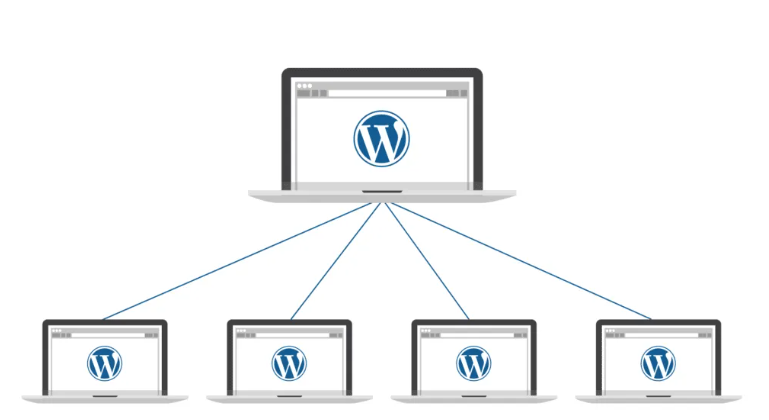
WordPress multisite is a built-in feature that enables you to create a network of websites using WordPress core. Instead of installing WordPress separately for each site, you manage them all from one central dashboard.
The key difference between single-site Word-Press & Multisite lies in control & structure. In Multisite, a super admin controls the entire network, while individual site admins manage their own sites.
Key Benefits of WordPress Multisite-
1.Multisite allows businesses to manage all websites from one dashboard. Updates to themes, plugins and the WordPress core can be applied network-wide, saving time & reducing errors.
2.By sharing hosting resources, plugins & themes businesses significantly reduce development and maintenance costs.
3.Multisite supports shared themes and designed systems, ensuring brand consistency across all websites.
4.Multisite is ideal for franchises, large enterprises, educational institutions and content-driven platforms that expect expansion.
Common Use Cases for WordPress Multisite-
Multisite is widely used by corporate organizations managing multiple departments such as- HR, blogs, product pages and support portals.
Franchise & Multi locational businesses
use it to create location-specific websites with localized content.
E-learning platforms & Universities
benefit by managing department-wise or course-specific websites under one network.
SaaS Platforms and Content networks
also rely on Multisite to efficiently manage client or user-generated websites.
WordPress Multisite vs Multiple Individual WordPress Sites-
When comparing Multisite with multiple standalone WordPress installations, Multisite offers easier maintenance and centralized security management. However, performance depends on hosting quality and server optimization. Multisite is ideal when websites share similar functionality and branding. Separate installations may be better if sites require complete independence or custom configurations.
How to Set Up WordPress Multisite-
Multisite is enabled by updating the WordPress configuration file and setting up the network. You can choose between subdomains or subdirectories based on your business needs. Once set up, manage sites, users, and roles carefully. The Super Admin controls the network, while site admins handle individual site content.
Performance & Security Best Practices for Multisite
To maintain performance, choose optimized hosting, use caching solutions, and implement a CDN. Network-wide security plugins, regular backups, and monitoring are essential to protect all sites within the network.
SEO Considerations for WordPress Multisite
SEO strategy depends on whether you use subdomains or subdirectories, as each has different SEO implications. Avoid content duplication across sites and manage SEO plugins centrally to maintain consistency and efficiency.
Challenges of WordPress Multisite & How to Overcome Them
Common challenges include plugin compatibility, complex site migrations, and performance bottlenecks. These issues can often be resolved with proper planning, testing, and optimized hosting. For large or complex networks, hiring experienced WordPress professionals is highly recommended.
Is WordPress Multisite Right for Your Business?
WordPress Multisite is ideal if your business manages multiple related websites, needs centralized control, and plans to scale. If your sites require complete independence or unique infrastructures, alternative setups may be more suitable.
Conclusion: Powering Business Growth with WordPress Multisite
WordPress Multisite empowers businesses with centralized management, cost efficiency, consistent branding, and scalable growth. When implemented correctly, it offers long-term control and flexibility, making it a powerful solution for organizations managing multiple websites under one digital ecosystem.